



BetSixty Login & Registration
The BetSixty login returns members to the activity already connected to their personal profile, and that single profile gives adults across the Netherlands access to every real-money feature. Verification comes later, when a protected account action requires an ownership check.



How to Register at BetSixty
Registration stays short, and the account becomes usable the moment the form is accepted. The full catalog opens right away, with the welcome package and the cashier ready without any waiting period.
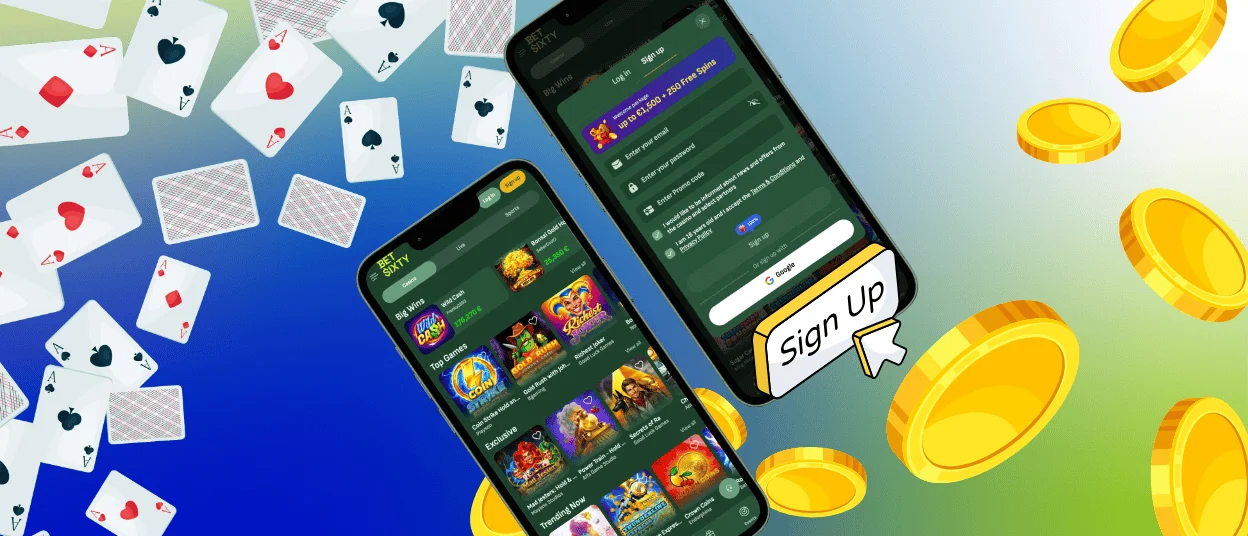
- Select the “Sign up” tab in the access window.
- Enter your email address.
- Create a password for future account access.
- Add a promo code when you have one.
- Confirm that you are at least 18 and accept the Terms & Conditions and Privacy Policy.
- Select Sign up, or continue through the Google option below the form.
Once the form is accepted, we open the BetSixty casino account and connect it to the selected sign-in method. The profile can then be used across the platform without another registration.
What Do You Need to Create a BetSixty Account?
A valid email address and a password are enough for standard registration. The email identifies the account and receives recovery messages if access is lost. The password protects future sessions, so it should differ from credentials used on other services.
The promo code field is optional. Google sign-up provides another option for users who prefer to connect an existing Google profile.
How to Log In to BetSixty
Returning members access their account by opening the “Log in” tab and entering the email address connected to the profile. The password goes into the second field. The visibility icon can reveal the characters before submission, which helps catch a typing error without clearing the form. Once both fields are complete, select Login to continue.
Members who registered through Google should use the Google button below the standard fields. The same Google profile used during sign-up must be selected. After BetSixty login is accepted, the account opens under the existing balance and account status. Return visits do not require another registration.
What Can You Do After Logging In?
Successful access opens the account area where members can manage their profile and follow account activity. Each section has a specific purpose, which keeps routine actions clear after login.
| Account Area | What It Shows | When to Use It |
| Profile Settings | Stored account details and password controls | Update personal information or change access details |
| Payments | Deposit options and the withdrawal view | Add funds or submit a payout request |
| Bonus Information | Current offers and active bonus progress | Check a reward before continuing play |
| Transaction History | Previous deposits and withdrawal requests | Review account movement by date |
| Support | Direct access to live chat | Ask the support team for help with an account request |
The dashboard keeps these functions connected to the same BetSixty casino profile. Members can move between account management and support without starting a new session.
Login Problems & Troubleshooting
Most access issues come from a mismatch between the details entered now and the method used during sign-up. The table below gives a direct route for each common case.
| Login issue | What to check | Next action |
| Password is rejected | Check capital letters and remove an outdated saved password | Enter the password again or start a reset |
| Email is not recognized | Confirm the exact address used for registration | Try the registered address or contact our support team. |
| Google opens the wrong profile | Check which Google account is active in the browser | Sign out of the other profile and choose the correct one |
| Reset email does not appear | Check the spam folder and confirm the address entered | Request another message, then use live chat if it still does not arrive |
| Login button is inactive | Make sure both fields contain text | Complete the missing field and submit again |
Multilingual support helps members explain an access issue in a language suitable for the interface. Our support team can continue the case through live chat without requiring a new registration.
Forgot Your Password?
A failed sign-in does not always mean the password is wrong. Check whether Caps Lock is active and make sure the keyboard uses the expected language. The eye icon can also reveal the entered characters before another attempt.
When you no longer remember the credentials, use the “Forgot password?” link below the BetSixty login button. Enter the email connected to the account and open the reset message. Create a new password through the link, then return to the login form. Check the spam folder if the email does not appear in the main inbox.
Verification (KYC) at Bet Sixty Casino
Bet Sixty uses KYC to verify that an account action is from the profile owner. When a check is required, the account page shows the requested document and the upload field. Take a clear photo without cropped edges or glare. The visible details must match the information registered on the account.
Our team checks the submitted file and updates the status in the profile. You continue using the same email and password while the review is in progress. Live chat can explain the request when further guidance is needed.
FAQ
Will Changing the Website Language Affect My Login?
No. The language setting changes only the text shown on the website. Your registered email and current password continue to open the same profile.
Is It Safe to Stay Signed In on a Shared Device?
A shared device should not keep your BetSixty session open. Sign out when you finish and decline any browser prompt that offers to save the password. The next person using that device will then have no direct access to your profile.
What Should I Do If I Cannot Access My Registered Email?
Open live chat and tell our support team that the registered inbox is unavailable. We will explain the account checks required before changing the email. This protects the profile from changes requested by someone who does not own it.


